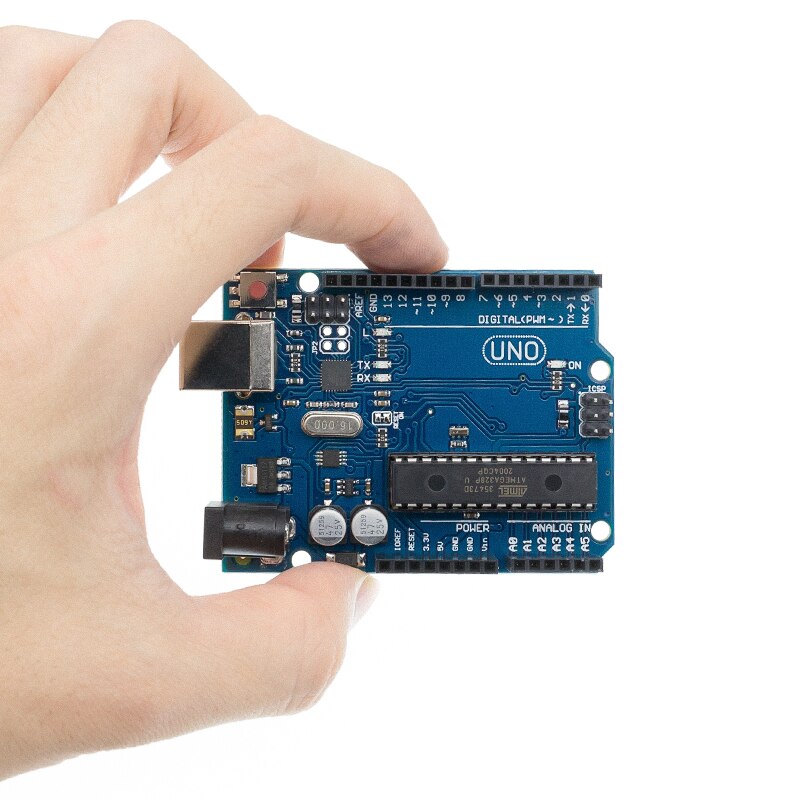
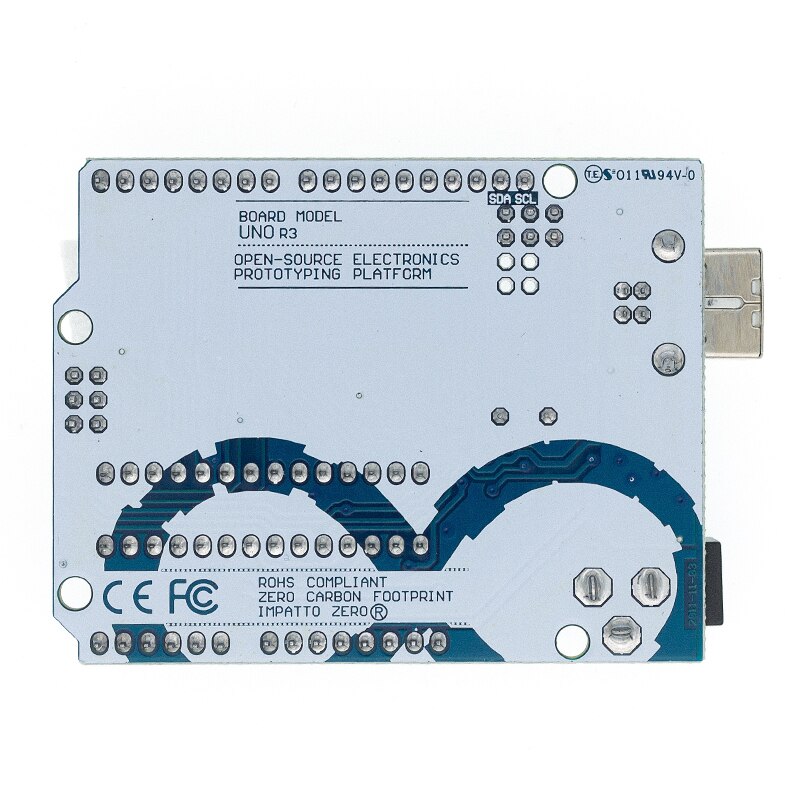



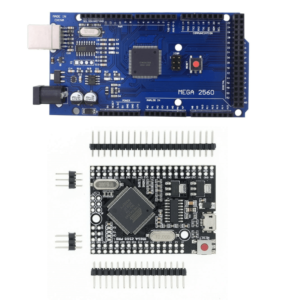


The Arduino Uno R3 compatible board is the most widely used microcontroller board for learning electronics and building projects. It runs on the ATmega328P chip at 16 MHz with 14 digital I/O pins, 6 analog inputs, and 32 KB of flash memory. It works with the Arduino IDE on Windows, Mac, and Linux straight out of the box.
We stock two versions. Both use the same ATmega328P processor and run identical code. The only difference is the USB-to-serial chip and the chip package.
What is the difference between the SMD and DIP versions?
The SMD version (CH340) uses a CH340 USB-to-serial converter chip. The ATmega328P is soldered directly to the board in a surface-mount package. This version costs £4.45 and works perfectly for all standard Arduino projects. Windows 10 and 11 usually install the CH340 driver automatically. Mac users may need to download the driver separately.
The DIP version (ATmega16U2) uses an ATmega16U2 chip for USB communication, which is the same chip used on the official Arduino Uno. The ATmega328P sits in a removable DIP socket. This version costs £6.90. The removable chip means you can replace it if damaged, or program it separately and transfer it to a custom PCB for permanent projects.
Quick comparison:

| Feature | SMD — CH340 (£4.45) | DIP — ATmega16U2 (£6.90) |
|---|---|---|
| Main chip | ATmega328P (SMD) | ATmega328P (DIP socket) |
| USB chip | CH340 | ATmega16U2 |
| Driver | CH340 — auto on Win 10/11 | Native — no driver needed |
| Chip removable | No — soldered | Yes — DIP socket |
| Arduino IDE compatible | Yes — select “Arduino Uno” | Yes — select “Arduino Uno” |
| Shield compatible | Yes — standard Uno footprint | Yes — standard Uno footprint |
| Code compatibility | 100% identical | 100% identical |
| Best for | Budget projects, learning, prototyping | Permanent builds, chip swapping, closest to original |
What are the full specifications?
| Specification | Value |
|---|---|
| Microcontroller | ATmega328P |
| Clock speed | 16 MHz |
| Operating voltage | 5V |
| Input voltage (recommended) | 7–12V |
| Input voltage (limit) | 6–20V |
| Digital I/O pins | 14 (6 provide PWM output) |
| PWM pins | 3, 5, 6, 9, 10, 11 |
| Analog input pins | 6 (A0–A5) |
| DC current per I/O pin | 20 mA |
| DC current for 3.3V pin | 50 mA |
| Flash memory | 32 KB (0.5 KB used by bootloader) |
| SRAM | 2 KB |
| EEPROM | 1 KB |
| USB connector | Type-B |
| Power connector | 2.1 mm barrel jack |
| Board dimensions | 68.6 × 53.4 mm |
| Weight | 25 g |
Which version should I buy?
Choose the SMD (CH340) at £4.45 if you want the best value for learning, school projects, or prototyping where you do not need to remove the chip. This is the most popular choice for beginners and hobbyists.
Choose the DIP (ATmega16U2) at £6.90 if you want the closest match to the original Arduino Uno, need a removable ATmega328P chip for transferring to custom boards, or prefer native USB driver support without installing CH340 drivers.
Both versions run the same code, fit the same shields, and work with every Arduino tutorial online.
Does this board work with the Arduino IDE?
Yes. Both versions are fully compatible with the Arduino IDE. Open the IDE, go to Tools → Board, and select “Arduino Uno.” Connect via USB, select the correct COM port under Tools → Port, and upload your sketch. The board appears as “Arduino Uno” in the IDE regardless of which version you buy.
The SMD (CH340) version may require a one-time CH340 driver installation on older versions of Windows or on Mac. Windows 10 and 11 usually detect the CH340 chip and install the driver automatically. See our CH340 driver installation guide if you need help.
Is this compatible with Arduino shields and sensors?
Yes. Both versions use the standard Arduino Uno R3 pin layout. Any shield, sensor module, or accessory designed for the Arduino Uno will fit and work correctly. This includes motor shields, Ethernet shields, LCD displays, relay modules, and all sensor modules.
Browse our full range of Arduino shields and Arduino sensors that work with this board.
What projects can I build with the Arduino Uno R3?
The Uno R3 is used in thousands of projects. Common beginner projects include LED traffic lights, temperature and humidity monitors, ultrasonic distance meters, motion-activated alarms, and servo-controlled gates.
More advanced projects include home automation systems with relay modules, weather stations with BMP280 sensors and OLED displays, line-following robots with motor drivers, and CNC machines using a CNC shield.
Over 95% of Arduino tutorials online are written for the Uno, which means you will always find step-by-step guides for any project you want to build. Popular free YouTube courses by Paul McWhorter and DroneBot Workshop use this exact type of board.
If you are new to Arduino, our Getting Started with Arduino guide walks you through your first project step by step.
Should I buy this board or a starter kit?
If you already have components like LEDs, resistors, a breadboard, and jumper wires, buying just the board is the right choice.
If you are starting from scratch, a starter kit saves you 40–60% compared to buying everything individually. Our advanced kit includes this Uno R3 board plus sensors, an LCD display, a breadboard, jumper wires, LEDs, resistors, a servo motor, and 30+ tutorial projects.
See all our Arduino starter kits.
How do I power the Arduino Uno R3?
There are three ways to power the Uno R3:
USB cable — provides 5V directly from your computer or a USB power adapter. This is the simplest method and also allows you to upload code at the same time.
Barrel jack (2.1 mm) — accepts 7–12V DC from a wall adapter or battery pack. The onboard voltage regulator steps the input down to 5V. We sell a compatible 12V DC adapter with UK plug.
VIN pin — accepts 7–12V from an external source wired directly to the pin header. Same as the barrel jack input but without the connector.
Do not apply more than 5V to the 5V pin directly, as this bypasses the voltage regulator and can damage the board.
How does the Uno compare to the Nano and Mega?
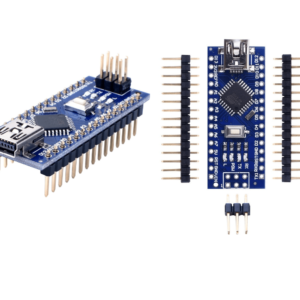
The Arduino Nano uses the same ATmega328P chip but in a smaller form factor (18 × 45 mm) that fits directly into a breadboard. It has 2 extra analog pins (8 vs 6) but no barrel jack for external power. Choose the Nano for compact or permanent projects.
The Arduino Mega 2560 has 54 digital pins, 16 analog pins, 256 KB of flash memory, and 4 serial ports. Choose the Mega when your project needs more I/O pins, more memory, or multiple serial devices. It is commonly used for 3D printers and CNC machines.
The Arduino Uno R4 WiFi is the newest generation with USB-C, built-in WiFi and Bluetooth, 256 KB flash, and a 48 MHz clock. Choose the R4 if you want WiFi without adding a separate module.
For a full comparison, see our Top Arduino Boards guide.
What is included in the box?
1× Arduino Uno R3 compatible board (SMD or DIP version as selected)
1× USB Type-B cable for programming and power
No additional components, sensors, or software are included. The Arduino IDE is a free download from arduino.cc.
Why buy from Kunkune?
Fast UK shipping — dispatched from our UK warehouse, delivered in 1–2 working days.
Free delivery over £25.
60-day returns — not happy? Send it back within 60 days.
12-month guarantee — covered against manufacturing defects for a full year.
No minimum order — buy one board or fifty. No bulk requirements.