

Knowing how to choose a soldering station shouldn't take a week of forum reading. Five things actually decide whether a station is right for you, and the rest is noise. This guide walks through each one in plain language, then matches a real station to your kind of work, with current UK prices and stock. Every model named here is one we stock and would happily use on our own bench.
Quick answer
To choose a soldering station, pick a digital model with PID temperature control, a 90 to 480°C range, and around 60W or more. That covers nearly every through-hole and general electronics job. For a first station, the YIHUA 926LED-IV (£36.50) does the lot; for fine SMD or repair work, step up to C210/C245 cartridges.
What a soldering station is (and its parts)
A soldering station is a temperature-controlled base unit with a separate iron on a lead. You set the temperature on the unit, and a sensor in the iron holds it there. That is the core difference from a plug-in iron, which just heats up and hopes for the best.
.png)
A typical station has five parts:
- Control unitthe box with the temperature dial or display and the heating circuit.
- Iron (or "pencil")the handpiece you actually solder with.
- Tipsthe replaceable business end, which screws or slides into the iron.
- Standholds the hot iron safely between joints.
- Cleaning sponge or brass woolkeeps the tip clean and tinned.
Once you understand those parts, every spec sheet starts to make sense. The control unit decides how stable the heat is. The iron and tip standard decide how fine your work can get.
Analog vs digital (PID): which you need
This is the single most important decision, so we will keep it simple.
Analog Casual
Analog stations use a dial and basic feedback. They are cheap and fine for casual use, but the temperature drifts as you work.
Digital (PID) Recommended
Digital stations use PID control. PID is a clever bit of maths that predicts heat loss and tops it up before the temperature drops. The result is a steadier tip, which means cleaner joints and less time waiting for the iron to recover after each one.
For electronics, choose digital with PID. Every station we recommend below has it, including the entry-level YIHUA 926LED-IV at £36.50. The price gap between analog and PID has closed to the point where there is little reason to go analog.
The 6 things that actually matter
Ignore the marketing. These six specs decide whether a station fits your work.
Temperature control & stability
You want a range of roughly 90 to 480°C and steady PID control. Most leaded soldering happens around 300 to 350°C; lead-free needs a touch more. A wide range plus PID stability means you are never fighting the iron. The YIHUA 926LED-IV and 939D+ III EVO both cover 90 to 480°C with PID.
Wattage (what it really means)
Wattage is not "how hot", it is "how fast it recovers". A higher-wattage station dumps heat back into the tip quickly after you touch a cold joint or a ground plane. For general electronics, 60W or more is comfortable. For chunky jobs like battery tabs or thick wire, you want headroom. If you want the full picture, read our guide to soldering station wattage explained.
Heat-up time
How long from cold to working temperature. Fast heat-up matters more than people expect, because it is the difference between soldering now and waiting. Cartridge-style irons are the quickest. The YIHUA 982 reaches temperature in 2 to 7 seconds; the cordless 928D-IV is ready in about 5 seconds.
Tip standard & cost
This is where money is won or lost over the life of the station, so read this twice. Two broad camps: 900M / 900-series tips (used by the 926LED-IV and most budget stations) are cheap, universal and sold everywhere. C210 and C245 cartridges (used by the YIHUA 982) build the heater and sensor into the tip, giving faster recovery and finer control, which is why repair pros use them. We stock both, plus a full breakdown in our soldering iron tips range and our C210 vs C245 vs 900M comparison.
ESD safety
Electrostatic discharge can quietly kill sensitive chips. An ESD-safe station is grounded so the tip does not pass stray voltage into your board. If you work with microcontrollers, MOSFETs, or modern ICs, treat ESD safety as a requirement, not a nice-to-have. Our guide to ESD-safe soldering covers the basics.
Ergonomics & features
The things you only notice after a few hours: a light, slim iron that does not cramp your hand; a short distance from your fingers to the tip for control; a sleep mode that drops the temperature when idle to extend tip life; and a stable stand. The 926LED-IV, for example, sleeps after 10 minutes of inactivity, which protects the tip and saves power.
What experienced solderers actually check
Insider checks before you buy
- Replacement-tip availability. A station is only as good as your ability to buy tips for it in a year. Stick to common standards (900M, C210, C245) and you will never be stuck.
- Tip-to-handle distance. Shorter means more control on fine work.
- Build quality of the lead. A stiff, draggy iron lead is a daily annoyance.
- Dual-handle or dual-channel. Handy if you switch between a fine tip and a chunky tip often. The YIHUA 982 runs both C210 and C245 handles (one at a time) for exactly this reason.
Soldering station vs soldering iron
Short version: a plug-in iron has no temperature control, so it overshoots, cools on big joints, and burns tips. A station holds a set temperature and recovers fast. For anything beyond the occasional repair, a station is the better buy and not much dearer.
Plug-in iron
No temperature control. Overshoots, cools on big joints, and burns tips. Fine for the occasional repair, not for regular electronics.
Soldering station
Holds a set temperature and recovers fast for cleaner joints. The better buy for anything beyond occasional use, and not much dearer.
We cover this in full in soldering station vs soldering iron, but if you are doing electronics regularly, get the station.
Match the station to your project
Here is the part no spec sheet gives you: which station for which person. Every model below is in stock at the price shown unless noted.
| Model | Type | Temp range | Tip standard | Heat-up | Price | Stock |
|---|---|---|---|---|---|---|
| YIHUA 926LED-IV | Digital PID | 90–480°C | 900M-T | – | £36.50 | In stock |
| YIHUA 939D+ III EVO | Digital PID | 200–480°C | YIHUA 902 / #1400 | – | £69.50 | In stock |
| YIHUA 982 dual-handle | Cartridge | 90–450°C | C210 + C245 | 2–7 s | £68.00 | In stock |
| YIHUA 995D+ I EVO 2-in-1 | Hot air + iron | Iron 200–480°C / air 100–480°C | – | – | £89.50 | Low stock |
| YIHUA 938D hot tweezers | Hot tweezers | 200–480°C | Hot tweezers | – | £39.00 | In stock |
| YIHUA 928D-IV cordless | Cordless USB-C | 90–450°C | USB-C PD 60–65W | ~5 s | £34.50 | In stock |
| YIHUA 948DQ-I fume extractor | Cross-sell | – | 9mm carbon filter | – | £29.00 | In stock |
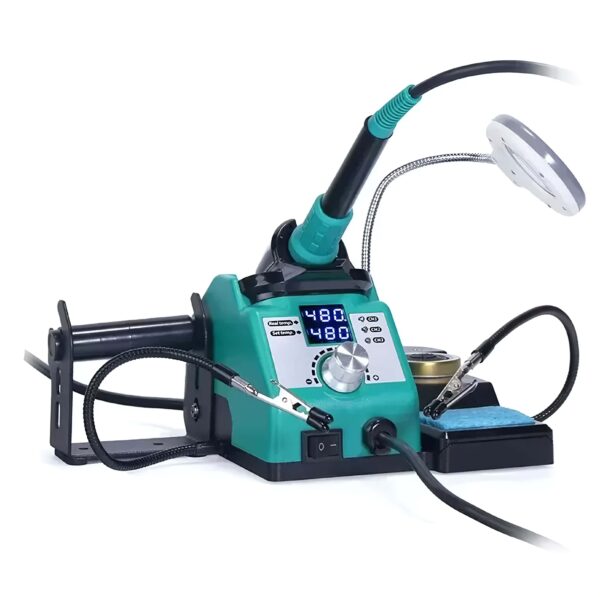
YIHUA 926LED-IV
Complete beginner, first station
- Temp range90–480°C
- Tip standard900M-T
- ControlDigital PID
PID control, cheap 900M-T tips, sleep mode. The easiest, lowest-risk way in.
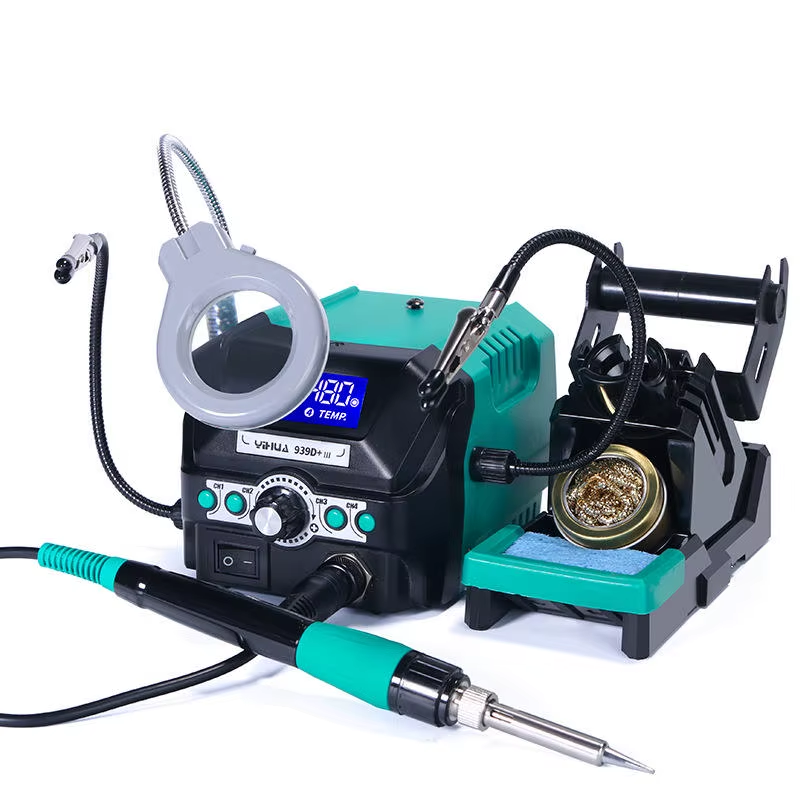
YIHUA 939D+ III EVO
Hobbyist all-rounder
- Temp range200–480°C
- Tip standardYIHUA 902 / #1400
- ControlDigital PID
A sturdier daily-driver for someone past their first projects.
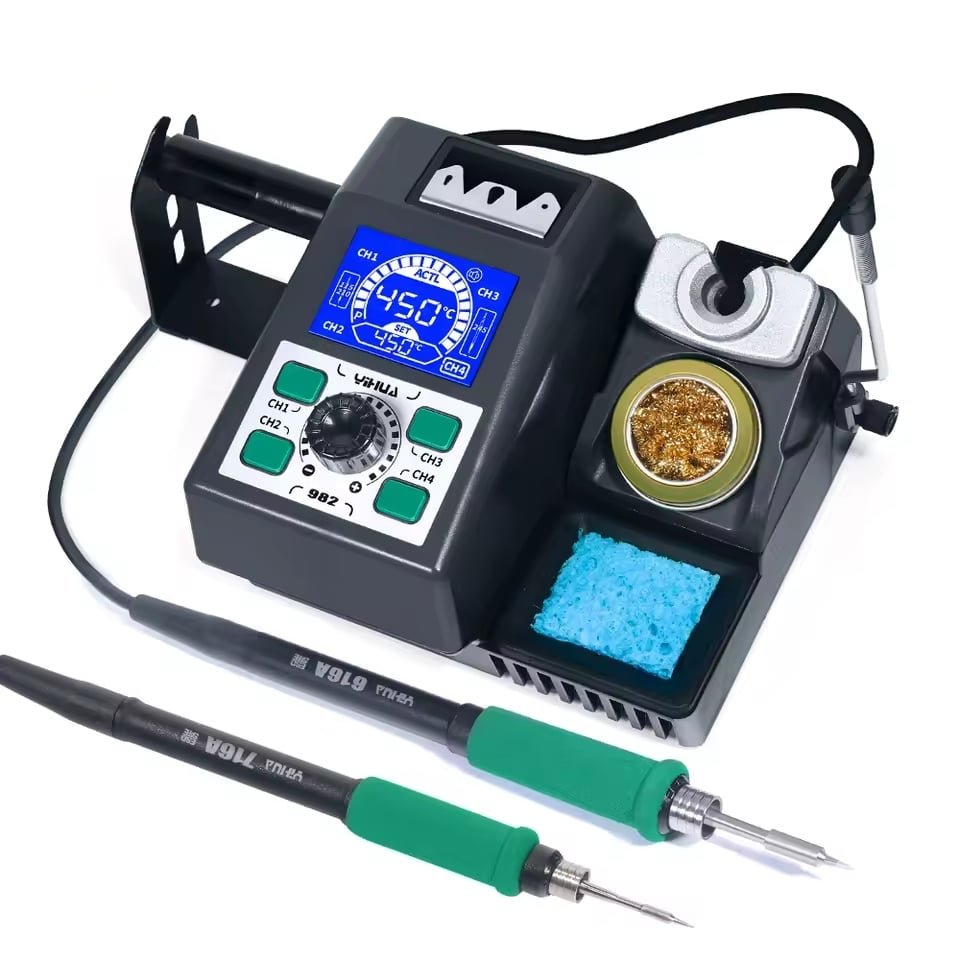
YIHUA 982 dual-handle
Fine SMD, repair & precision
- Temp range90–450°C
- Tip standardC210 + C245
- Heat-up2–7 s
The cartridge control that repair techs want.

YIHUA 995D+ I EVO 2-in-1
Hot air plus soldering in one
- Iron temp200–480°C
- Air temp100–480°C
- Iron power110W
A 110W iron and a hot air gun on one unit. Only a couple in stock at the time of writing.

YIHUA 938D hot tweezers
SMD desoldering & removal
- Temp range200–480°C
- Power120W
- ToolHot tweezers
Built for lifting small SMD parts cleanly.
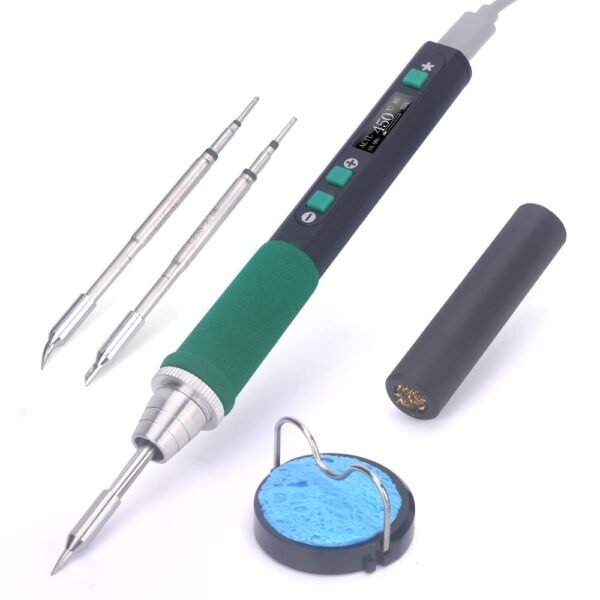
YIHUA 928D-IV cordless
Cordless or field work
- Temp range90–450°C
- PowerUSB-C PD 60–65W
- Heat-up~5 s
Runs off a laptop charger or power bank.

YIHUA 948DQ-I fume extractor
Pair with any station
- Filter9mm carbon
- UseSolder smoke
- ExtrasHelping hands
Pair any station with an extractor to keep solder smoke out of your face.
Browse the full soldering stations range
A note on honesty
YIHUA is excellent value and what we recommend for most UK hobbyists and repair techs. Hakko and JBC remain the professional benchmark, and we will not pretend otherwise. For the work most people on this page are doing, a well-chosen YIHUA station does the job for a fraction of the price.
Setup, safety and maintenance
Get these habits right and a station lasts for years.
- Tin the tip firstMelt a little solder onto a new or cleaned tip straight away. A tinned tip transfers heat properly and resists corrosion.
- Clean as you goWipe on brass wool or a damp sponge between joints, not at the end of the session.
- Use sleep modeIdle heat is the main thing that wears tips out.
- Calibrate if neededDigital stations can drift over time.
- Work in fresh airSolder fumes are an irritant. A simple extractor handles it.
- Mind ESDGround yourself and your station for sensitive parts.
FAQ
What should I look for in a soldering station?
PID temperature control, a 90 to 480°C range, 60W or more for fast recovery, a common tip standard (900M or C210/C245), and ESD safety if you work with sensitive chips. Get those right and the rest is preference.
How many watts does a soldering station need?
For general electronics, 60W or more is comfortable. Wattage governs how quickly the tip recovers heat after a joint, not the maximum temperature. Heavier jobs like battery tabs or thick wire benefit from more headroom.
Do I need an ESD-safe station?
If you solder microcontrollers, MOSFETs, or modern ICs, yes. ESD-safe means the station is grounded so stray voltage cannot reach your board. For basic through-hole hobby work it matters less, but it is cheap insurance.
What is the best budget soldering station in the UK?
The YIHUA 926LED-IV at £36.50 is our pick: PID control, a wide temperature range, and cheap universal tips. For more options at the low end, see our best budget soldering station guide.
What is the best soldering station for a beginner?
A digital PID station with preset-friendly controls and low running costs, such as the 926LED-IV. We cover first-kit choices in full in our best soldering station for beginners guide.
What is the golden rule of soldering?
Heat the joint, not the solder. Touch the iron to both the pad and the component lead, let them warm for a second, then feed solder into the joint so it flows around both. That is what makes a strong, shiny connection.
The bottom line
Choosing a soldering station comes down to PID control, enough wattage to recover fast, the right tip standard for your work, and ESD safety if your parts need it. For most UK makers, a digital YIHUA station between £37 and £90 covers everything. Start with the 926LED-IV if you are new, step up to C210/C245 cartridges when your work gets fine, and you will not need to think about it again.
Ready to pick your station?
Browse our soldering stations, compare tips in the soldering iron tips range, or read the full picks in our best soldering stations and irons guide.